Welcome to your comprehensive guide to the Rhode Island Lottery app.
As long as you are aged 18+ and physically located in RI, you can legally play the lottery – and the official app, which is available on iOS and Android, is the perfect way to play.
You can buy tickets, play online games, check numbers, scan tickets, and manage your account – all with just a few taps of your screen.
I have used the Rhode Island Lottery app for a long time now, enabling me to offer expert tips and advice on downloading the app, logging into your account, and troubleshooting any registration issues.
✔️ Official app from the Rhode Island Lottery ✔️ Available on iPhone & Android ✔️ Free features + optional online play for eligible VIP Plus users ✔️ Includes ticket checker, Second Chance, and retailer locator
Where to Download the Official RI Lottery App
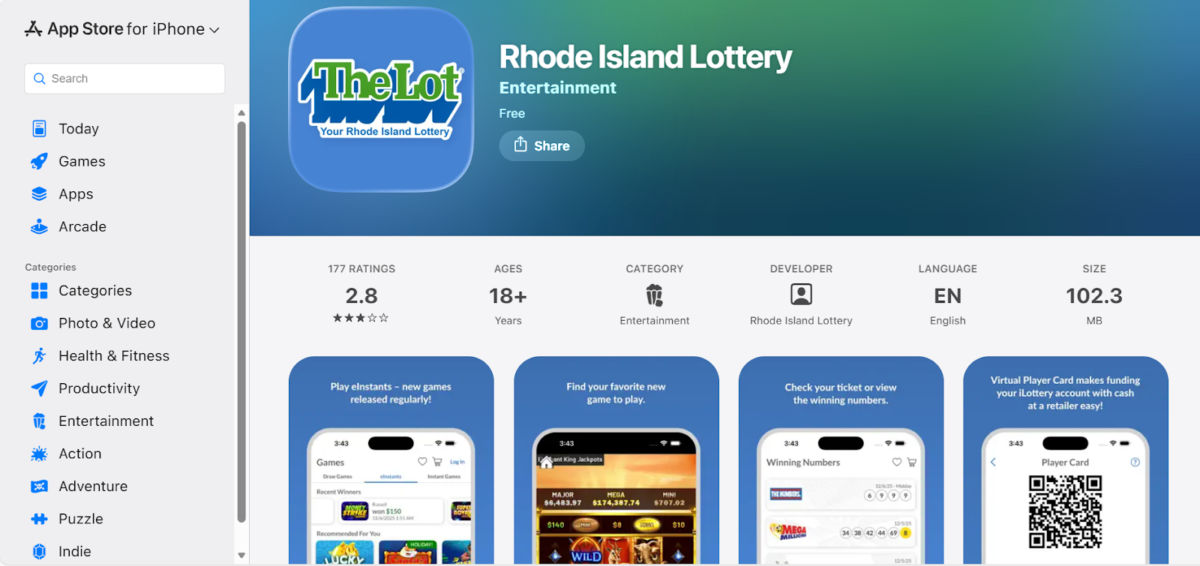
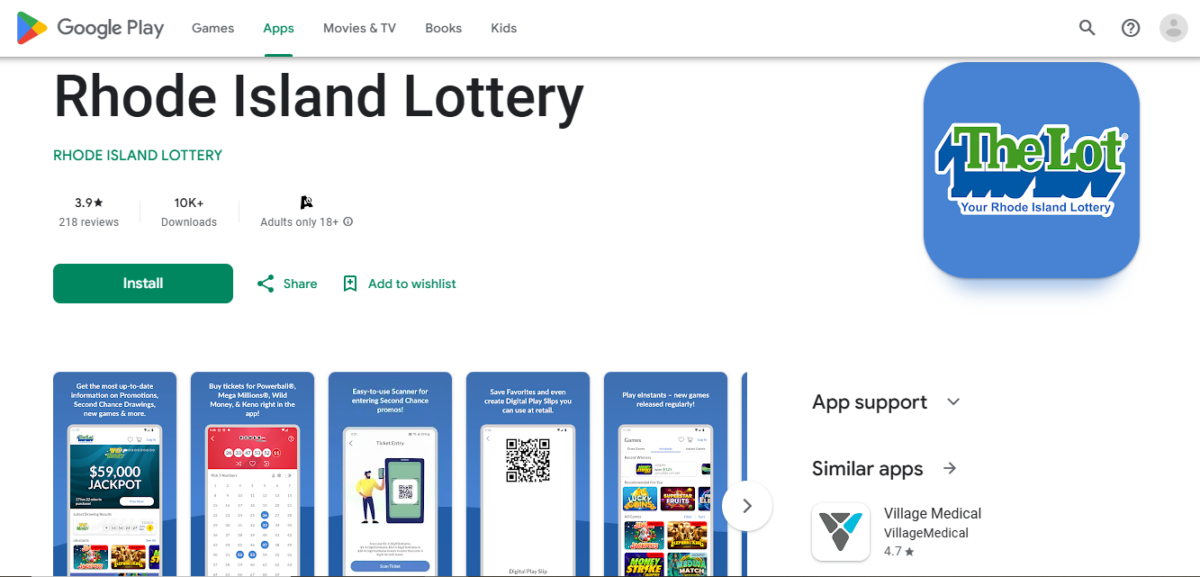
There are only two places that you can action your official Rhode Island Lottery app download.
These are:
Apple’s App Store (for iPhone and iPad users)
Google Play Store (for Android device users)
These are the official apps – not third-party productions or ‘mirrored’ apps designed to look like the real thing but developed by unofficial sources.
My tip for ensuring that you download only the official Rhode Island Lottery app is to look at the ‘developer’ section of the app page: this should say ‘Rhode Island Lottery’.
If the developer is listed as somebody else, you can be sure that this is ISN’T the official app… and may instead be an unsecure phishing scam.
App
Compatibility
File Size
Developer
Features
iOS
iOS 13.4 or later
102.3 MB
Rhode Island Lottery
Buy tickets. Scan paper tickets. Check numbers. Find retailers. Play instant games. Become a VIP member.
Android
Android 10
75.5 MB
Rhode Island Lottery
Buy tickets. Scan paper tickets. Check numbers. Find retailers. Play instant games. Become a VIP member.
Rhode Island Lottery App Features (Standard vs VIP)
At this stage of my review of the Rhode Island Lottery online, I want to point out some key facts about VIP membership.
If you choose the standard membership plan, you can enjoy the following features:
Scan tickets
Check the latest winning numbers
See the latest jackpot prizes
Find retailers local to you
Alternatively, you can join the Rhode Island Lottery online VIP Club. Extra features include:
Email notifications for draw updates, promotions, and more (VIP Lite)
Enter Second Chance draws (VIP Standard)
Scan tickets (VIP Standard)
Get text notifications (VIP Standard)
VIP Plus members get all of the above as well as:
Purchase tickets for RI Lottery draws
Play iLottery and eInstant games
View ticket history
Set deposit and wager limits
It’s free to register for a VIP Club account, although you may have to upgrade to join the VIP Plus membership program.
In my research, I’ve found that some players don’t always understand who can play the Rhode Island Lottery online.
To download the Rhode Island Lottery app and use its basic features, you can be based anywhere.
However, to purchase tickets and play games via the app, you must be aged 18+ and physically located within Rhode Island.
To make purchases on the Rhode Island Lottery app, geolocation checks will be performed – make sure you have location settings turned on.
Players Located Outside RI
Download the app. Scan tickets. Check the latest numbers. See latest jackpot amounts. Browse (but not play) games.
Players Located Inside RI
Buy tickets online. Play online games. All other app features allowed.
Rhode Island Lottery: VIP Account Levels at a Glance
I know that it can be confusing for newcomers to the Rhode Island Lottery app to know exactly what they can and cannot do.
So, here’s an at-a-glance guide, confirming what’s available per VIP account level after completing your Rhode Island Lottery login.
Feature
VIP Lite
VIP Standard
VIP Plus
Email Notifications
·
·
·
Text Notifications
x
·
·
Check Numbers
x
·
·
Scan Tickets
x
·
·
Second Chance Draws
x
·
·
Promotions
x
x
·
Play Games
x
x
·
Buy Tickets
x
x
·
Who’s It Best For?
Players seeking email notifications of latest draws
Players wanting more features from the app
Players who want to buy tickets and play games
Rhode Island Lottery App Download: How To Guide
I have completed the Rhode Island Lottery app download for both iOS and Android devices.
You can see the steps I took detailed below. The download should be quick and easy; of course, that will be dictated by your network speed and internet connectivity, as well as the available file space on your device.
My advice? Check that you have a strong connection, and delete unnecessary apps and files from your device, before beginning the download.
The Rhode Island Lottery app download process for iOS:
Open the App Store
Search for ‘official Rhode Island Lottery app’
Check the publisher before install – it should be Rhode Island Lottery
Install the official app
Allow permissions (if this popup shows on screen)
Locate the app on your home screen after the download is complete
The Rhode Island Lottery app download process for Android:
Open the Google Play Store
Search for ‘official Rhode Island Lottery app’
Check the publisher before install – it should be Rhode Island Lottery
Install the official app
Allow permissions (if this popup shows on screen)
Locate the app on your home screen after the download is complete
You may also be prompted to ‘allow location’. This is so that the app can check whether you’re in Rhode Island or not via geolocation. Select the ‘allow’ option.
Rhode Island Lottery Register: Creating a VIP Account
You can join the VIP Club via the app or by visiting the official Rhode Island Lottery website at rilot.com.
As long as you have the necessary information to hand, you’ll find this registration process as quick and as easy as I did.
Choose your VIP Club account (refer back to the different levels in this guide)
Create your login details (username and password)
Verify your identity (if opting for VIP Plus)
If you do choose to upgrade to VIP Plus, you will need to provide additional information. The Rhode Island Lottery will perform a KYC (Know Your Customer) check, so you’ll need to provide your full name, home address, and date of birth, alongside the last four digits of your Social Security Number.
If they are unable to verify your account using this data, you may be asked to upload a copy of an I.D. document (passport, driver’s licence etc) and/or proof of address (bank statement, utility bill etc).
Detail
VIP Lite
VIP Standard
VIP Plus
Username
·
·
·
Password
·
·
·
Email Address
·
·
·
Full Name
x
x
·
Date of Birth
x
x
·
Postal Address
x
x
·
Social Security No.
x
x
·
Verification Docs
x
x
Possibly, based upon KYC checks
Rhode Island Lottery Login: How to Access Your Account
After completing the Rhode Island Lottery register process, you will now have to log in to your new account.
Upon locating the app on your home screen, you will be tasked with entering your username and password.
What happens if the app doesn’t open?
You can try a number of different fixes, which include closing and then re-opening the app, as well as restarting your device.
Check that you have the latest version of the app installed; you can always delete the Rhode Island Lottery app and reinstall it if required.
My username or password aren’t recognised
One common mistake is to accidentally have caps lock on when typing in your details. Otherwise, double-check the information you are entering – use the ‘forgot password’ link if required.
I’m not receiving email notifications
If your email notifications aren’t coming through, check your junk folder to see if they have been sent there by mistake.
Sometimes, gambling operators are absent from safe sender lists. You can add the Rhode Island Lottery to your safe list via your email service provider.
How to close my Rhode Island Lottery account?
If you no longer want to access your Rhode Island Lottery account, you will need to contact customer support via phone or email. Request a closure and then confirm your identity; remembering to withdraw any funds that you may have in your account.
Rhode Island Lottery Online: How iLottery Works
The Rhode Island Lottery online is powered by iLottery, which allows VIP Plus account holders to buy tickets and play games.
The term iLottery refers to both the apps that I have explained in this article, plus the official RI Lottery website – these are the two elements of iLottery.
To register for either of these official channels, you will need to follow the registration and login steps outlined above.
Your Questions About Geolocation Answered
I know that some players are skeptical about being ‘tracked’ by their phone.
But the Rhode Island Lottery app has to do this to confirm that you’re on RI state soil; otherwise, allowing you to purchase tickets would be illegal.
Here’s how to ensure geolocation works smoothly:
Enter your device’s settings
Find ‘location services’ and switch them on
Ensure you have a WiFi connection
Generally speaking, the RI Lottery App should now be able to locate where you are. But note that rooted or jailbroken devices are blocked from playing the lottery, so you won’t be located if this applies to you.
If you’re having issues with geolocation, here’s a quick troubleshooting guide:
Ensure location services is switched on
Ensure the RI Lottery App has location permissions allowed
Toggle your GPS/location off and on again
Restart the RI Lottery App
Restart your device
Ensure you have the latest operating software
Uninstall the app and then reinstall it
Rhode Island Lottery Online: Deposits, Withdrawals & Prizes
As a debit card holder, I found it simple to make a deposit into my lottery account.
They accept Visa and Mastercard, and in my experience this ensured an instant deposit was made.
If you choose to use an alternative method, such as ACH bank transfer, be aware that deposit speeds may be slower.
When it comes to withdrawals, there’s some rules to know. You can only cash out your winnings via ACH bank transfer, but you must have made a deposit using this method first.
If you want to cash out an amount of more than $600, you can only do so in person at an authorized Rhode Island Lottery retailer, or at the Lottery HQ in Cranston. Winnings of less than $600 are credited to your app account.
Method
Deposit?
Withdrawal
Min. Deposit
Deposit/Withdrawal Speed
Visa
·
x
$20
Instant
Mastercard
·
x
$20
Instant
ACH Bank Transfer
·
·
$20
Instant/3-5 business days
Rhode Island Lottery App: Ticket Check & Second Chance Draws
You can scan your physical tickets to see if they have won a prize using the app.
I use these steps:
Open the Rhode Island Lottery App
Tap the ‘Select Ticket’ option
Use your device’s camera to scan the barcode (hover over it for a few seconds)
The app will show if the ticket is a winner or not on screen
If you don’t get this quite right, you might be blocked for 30 minutes due to ‘invalid attempts’. You’ll have to wait for the time to elapse to try again.
To see if your ticket is eligible for a Second Chance draw, enter your 13-digit code on your ticket into the Second Chance section of the app. Then scratch off the panel on the front of your ticket to reveal a secondary ten-digit number – type this in, too.
Alternatively, you can scan the QR Code on your ticket to see if it is eligible.
Here are some of the most common Rhode Island Lottery App issues troubleshooted:
The app won’t open
Possible fixes include restarting the app, deleting it and then re-installing it, update to the latest version, and restart your device.
You should also check to see if your device is compatible with the app: minimum software requirements apply.
The app keeps crashing
I would replicate the steps mentioned in the ‘app won’t open’ section.
I’m geoblocked
Make sure you have location services switched on in your device’s settings. Remember that you must be on RI state soil to buy tickets and play games.
So, as a rule, you should try the following steps before contacting customer support:
Restart the app
Uninstall the app and then re-install it
Update to the latest version (if applicable)
Restart your device
If these steps don’t work, contact customer support – the details are published below.
How to Gamble Responsibly on the RI Lottery App
First, let’s secure your account.
Choose a password that is unique, contains numbers and special characters, and that you haven’t used as a password on other sites. Never share your login information.
Remember to only download the official RI Lottery app, following the guidance in this article.
Gamble responsibly by using deposit, purchase, and session limits – there’s a great FAQ on the official Rhode Island Lottery site about this.
Contacting Rhode Island Lottery Customer Support
Here are the details for the Rhode Island customer support team.
Type
Detail
Hours
Phone
1-800-288-2485
08:00-00:00 ET (open seven days a week)
Mail
Rhode Island Lottery, 1425 Pontiac Avenue, Cranston, RI 02920
08:00-16:00 ET, Monday to Friday
The Lottery encourages players not to email for support, as there is no dedicated address for this.
When should you contact support?
If the app isn’t working and you’ve tried all of the troubleshooting methods explained earlier
If your login details consistently don’t work
If there’s an error with a payment or purchase
If you want to close your account
Rhode Island Lottery App FAQs
How do I download the official Rhode Island Lottery app on iPhone or Android?
Head to the App Store (iPhone) or Google Play Store (Android). Search for ‘official Rhode Island Lottery App’, downloading the app listed under the developer (Rhode Island Lottery).
Do I need to live in Rhode Island to register for a RI Lottery account?
You don’t need to be in Rhode Island to register, but you do in order to purchase tickets and play games.
Why won’t the RI Lottery app let me play or purchase games when I’m traveling?
Geolocation rules dictate that you must be in Rhode Island to play the RI Lottery.
How do I create a VIP Plus account and what does it unlock?
Upgrade your account to VIP Plus status in order to be able to buy tickets online. You can do this within your account dashboard on the app.
What should I do if the RI Lottery app won’t open or keeps crashing?
If the app won’t open or keeps crashing, you can restart the app, uninstall it and then reinstall it, restart your device, and check that you have the latest version of the lottery app installed.
I have been writing about sports betting and iGaming for more than a decade, working for a number of newspapers, sportsbooks, online casinos and digital agencies to deliver bonus guides, game tips and strategies, and betting tips for a wide range of sports.
I am passionate about sharing the best user experiences around with my fellow sport and casino lovers, helping you to access the leading sites, apps and bonuses available right now




 Bonus
Bonus 





 casino